
UptimeRobotUptime Kuma

Switching from UptimeRobot to Uptime Kuma
Uptime Kuma is a smoke alarm for your website. It keeps checking that your site and services answer, messages you the moment one stops, and gives you a status page to share with your users.
· Free and open source (MIT) · Works in any browser
The short version
Switch to Uptime Kuma if
- You want to know within a minute when your website stops working.
- You want alerts in Slack, Discord, Telegram or by email.
- You want status pages without paying for each one.
Stay with UptimeRobot if
- You need checks from many countries at once. Uptime Kuma checks from one place.
- You want a company to watch the monitoring tool for you.
What it is like to use
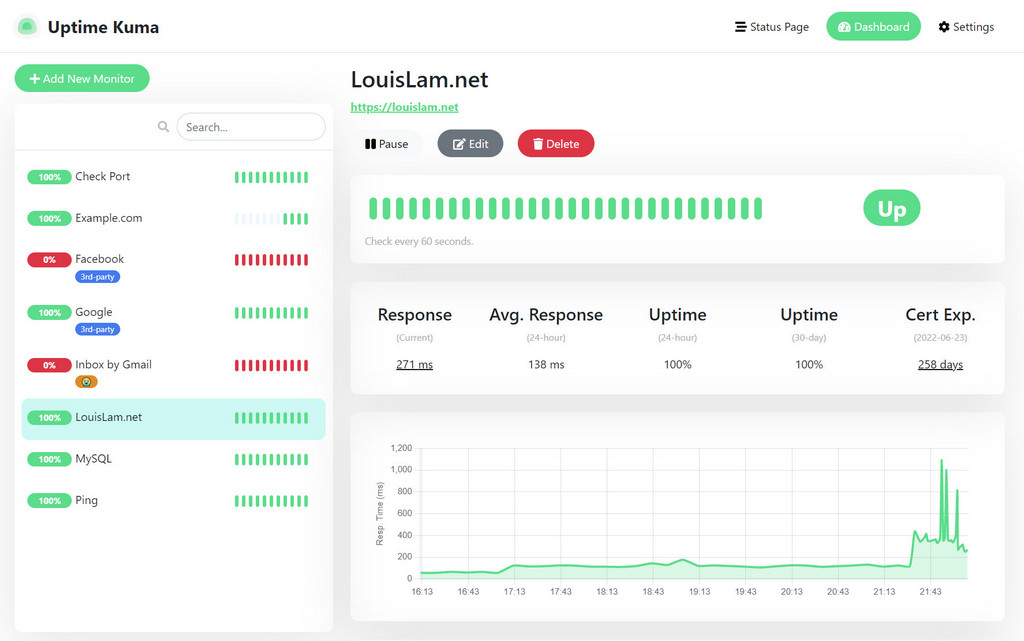
The dashboard lists everything you watch, each with a green or red bar showing its recent history and how fast it answered. When something goes down, the bar turns red and your alert goes out. When it comes back, you get a second message.
Which checks to set up
Uptime Kuma calls these monitors. You will probably only need a few kinds.
| Check | What it asks | Use it for |
|---|---|---|
| Website | Does the page load? | Your homepage and key pages |
| Word on the page | Does the page still show a word I expect? | Spotting an error page that loads fine |
| Heartbeat | Has my scheduled job checked in? | Nightly backups and other scheduled tasks |
| Port | Is this service accepting connections? | Mail servers and databases |
| DNS | Does my domain still point to the right place? | Domain and DNS changes |
| Certificate expiry | Is my HTTPS certificate about to run out? | Avoiding browser security warnings |
Status pages
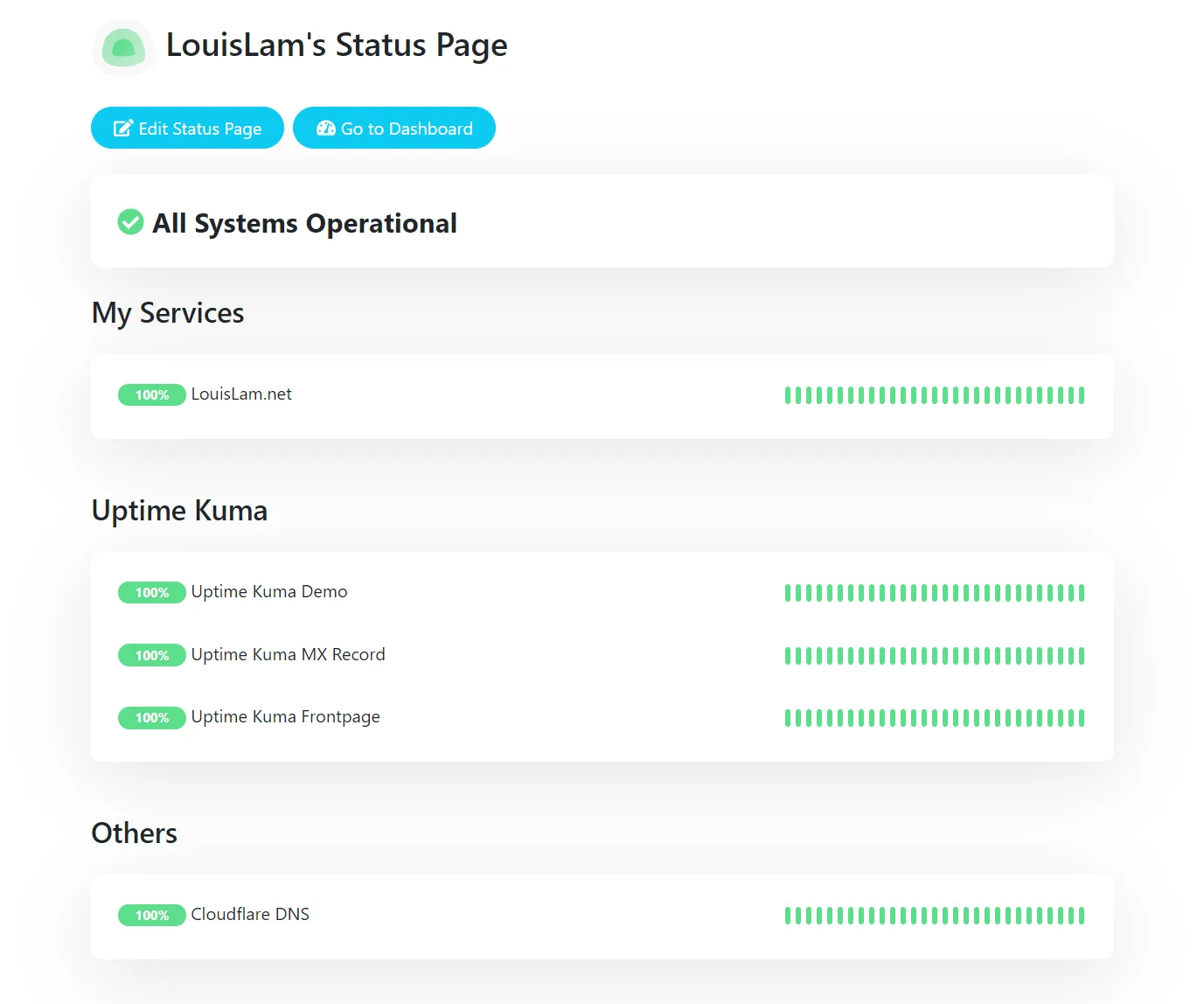
Put your checks on a public status page with your name and logo, and post a short note when something is being fixed. Customers can look there before they email you.
Moving over from UptimeRobot
There is no import, so recreate your monitors by hand. Most setups have only a handful. Run both side by side for a week to confirm the alerts match, then cancel the old one.
Works like UptimeRobot
- Website, word, port and heartbeat checks
- Alerts by email, Slack, Discord, Telegram and many more
- Public status pages
- Maintenance windows that pause alerts
You give up
- Checks from several countries at once
- SMS and phone call alerts without a third-party service
Want Uptime Kuma without setting it up?
Zenith can run Uptime Kuma for you. Pick an address and it is ready in a couple of minutes. It runs separately from your own website, so it can still warn you when your server goes down.
Common questions
- How often does it check?
- As often as you like, down to every 20 seconds. Every minute is plenty for most sites.
- Will it tell me when the site is back?
- Yes. You get one message when a check fails and another when it recovers.
- How many sites can I watch?
- Uptime Kuma has no limit. Add every site and service you care about.