
NotionDocmost

Switching from Notion to Docmost
Docmost is a shared wiki for your team. It has Notion's slash-command editor and live editing, and Confluence-style spaces for each team. It does not try to be a database or project tracker.
· Free and open source (AGPL-3.0) · Works in any browser
The short version
Switch to Docmost if
- Your team mainly uses Notion for docs, how-tos and wiki pages.
- You want a separate space for each team, with its own members.
- You want one price for the app instead of paying per person.
Stay with Notion if
- You run projects in Notion databases, boards or calendars.
- You depend on Notion AI or Notion's integrations.
What it is like to use
Each team gets a space with a tree of pages down the side, and pages can sit inside other pages. Writing feels like Notion. Type / to add a heading, checklist, table, image or diagram, and use Markdown shortcuts if you know them. When a teammate opens the same page, you see their cursor and edits as they type.
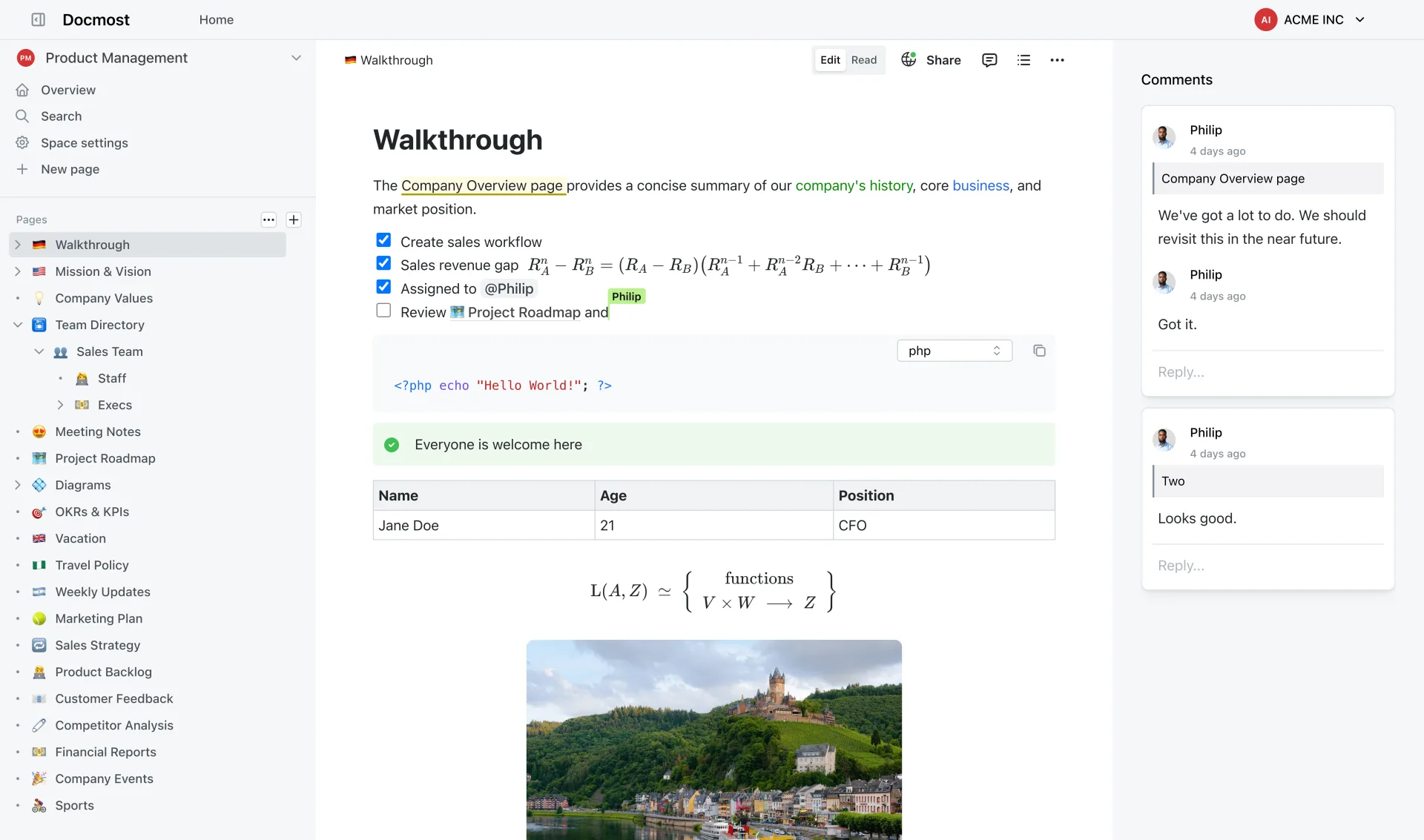
What you keep and what you give up
Works like Notion
- Pages inside pages, in a sidebar
- Type / to add any kind of block
- Several people editing at once
- Comments, page history and search
- Diagrams drawn right in the page
You give up
- Databases, boards, timelines and formulas
- Notion's template gallery
- Notion's built-in AI
Where things are
| In Notion | In Docmost |
|---|---|
| Teamspace | Space |
| Sidebar page list | Page tree |
| Page | Page |
| Members of a teamspace | Space members and roles |
| Page history | Page history |
| Database | No equivalent |
Moving your pages over
Export the pages from Notion, then open the Docmost space they belong in and choose Import from its menu. Docmost also imports Markdown and HTML files. Its documentation says which Notion export format to pick.
Comes across
- Text, headings and lists
- Images and attachments
- Pages nested inside pages
Needs fixing by hand
- Databases
- Embeds from other apps
Want Docmost without setting it up?
Zenith can run Docmost for you. Pick an address and it is ready in a couple of minutes. Email is already set up, so invitations reach your team.
Common questions
- Is there a phone app?
- No. Docmost works in your phone's browser.
- Is there a limit on how many people can join?
- Docmost itself has no per-person limit or charge.
- Can I get my pages out again later?
- Yes. Any page can be exported to Markdown or HTML.