
YNABActual Budget

Switching from YNAB to Actual Budget
Actual Budget uses the same method as YNAB. Every dollar you have gets a job before you spend it. It is quick, works offline and can import your YNAB budget. The big difference is how transactions get in.
· Free and open source (MIT) · Works in any browser, also offline
The short version
Switch to Actual Budget if
- You like YNAB's way of budgeting and want to keep it.
- You are happy to import bank files or type in transactions.
- You want your budget kept private, with optional encryption.
Stay with YNAB if
- You rely on YNAB connecting to your bank for you.
- You use YNAB's phone app every day.
What it is like to use
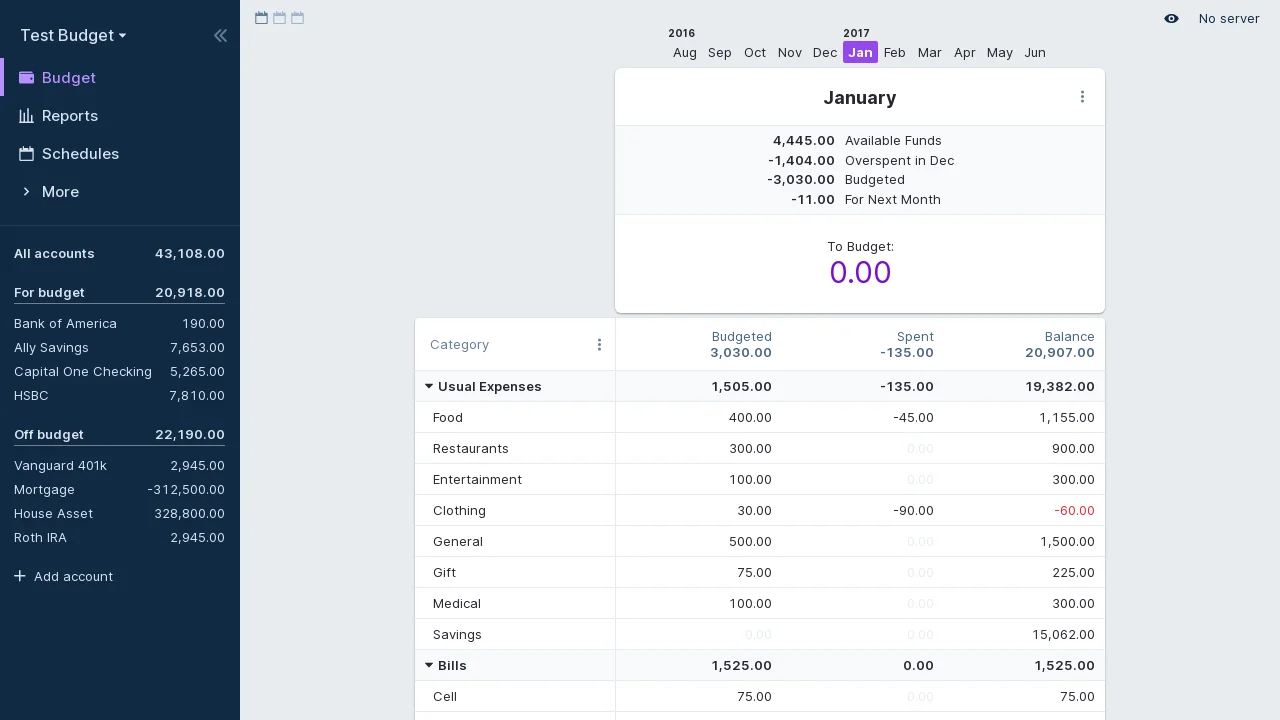
The budget screen shows each category with what you set aside, what you spent and what is left. Money you do not spend rolls into next month. If you overspend, it comes out of next month's budget, so the plan always matches your accounts.
What you keep and what you give up
Works like YNAB
- Giving every dollar a job, category by category
- Moving money between categories when plans change
- Rules that sort transactions into categories for you
- Bills that repeat on a schedule
- Reports on spending and net worth
You give up
- Automatic bank connections in most countries
- A phone app. Actual runs in your phone's browser instead.
Where things are
The ideas are the same. Some names change.
| In YNAB | In Actual Budget |
|---|---|
| Ready to Assign | To Budget |
| Assigned | Budgeted |
| Activity | Spent |
| Available | Balance |
| Targets | Goal templates |
| Scheduled transactions | Schedules |
Getting transactions in
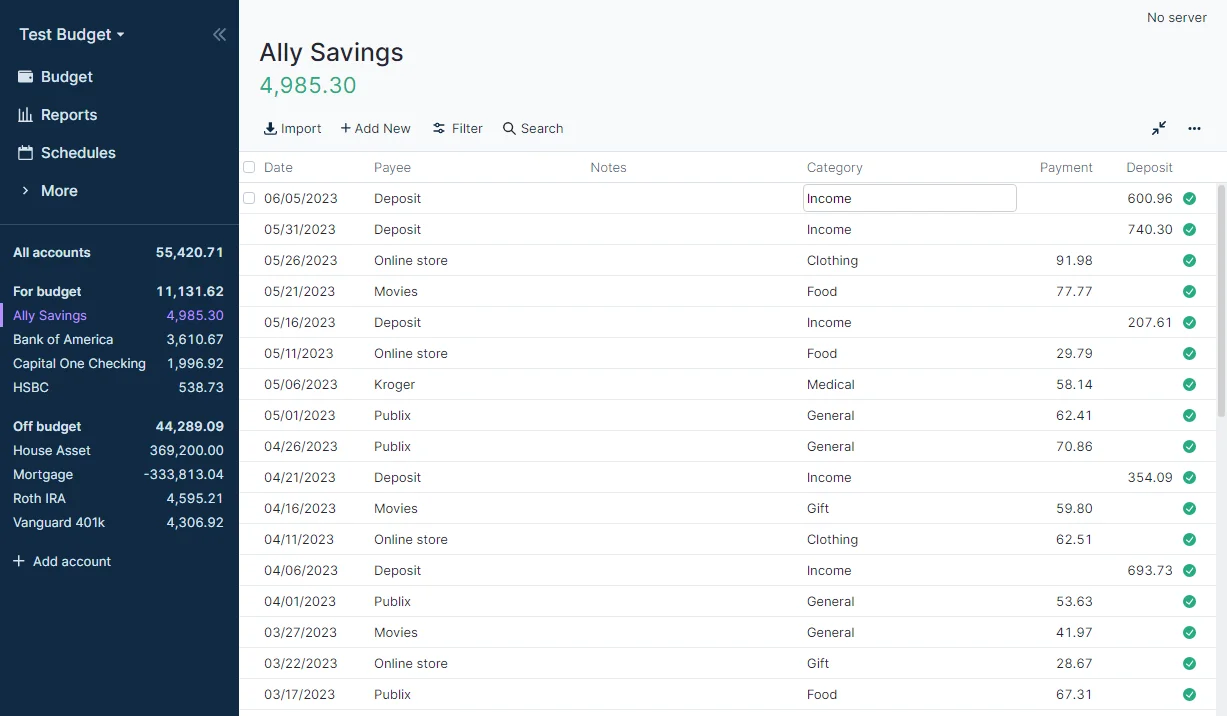
Download a statement file from your bank's website and import it into the account. Actual reads the common formats banks offer, and remembers what it has already imported.
Moving over from YNAB
When you first open Actual, choose to import a budget and pick YNAB. Actual can read budgets from both the old YNAB 4 and today's YNAB. For today's YNAB, its documentation shows how to download your budget file first.
Comes across
- Accounts and balances
- Every transaction
- Categories and what you budgeted each month
Set up again
- Bank connections
- Targets, which become goal templates
Want Actual Budget without setting it up?
Zenith can run Actual Budget for you. Pick an address and it is ready in a couple of minutes.
Common questions
- Can two people share a budget?
- Yes. Anyone with the server password opens the same budget, and changes sync between you.
- Does it work offline?
- Yes. Your budget is kept on your device and syncs when you are back online.
- Can I encrypt my budget?
- Yes. Turn on end-to-end encryption in Settings, and your budget is locked with a password only you know.